
Best VPN for Gaming: Low-Ping Picks for PC, Console, MMOs, and Esports
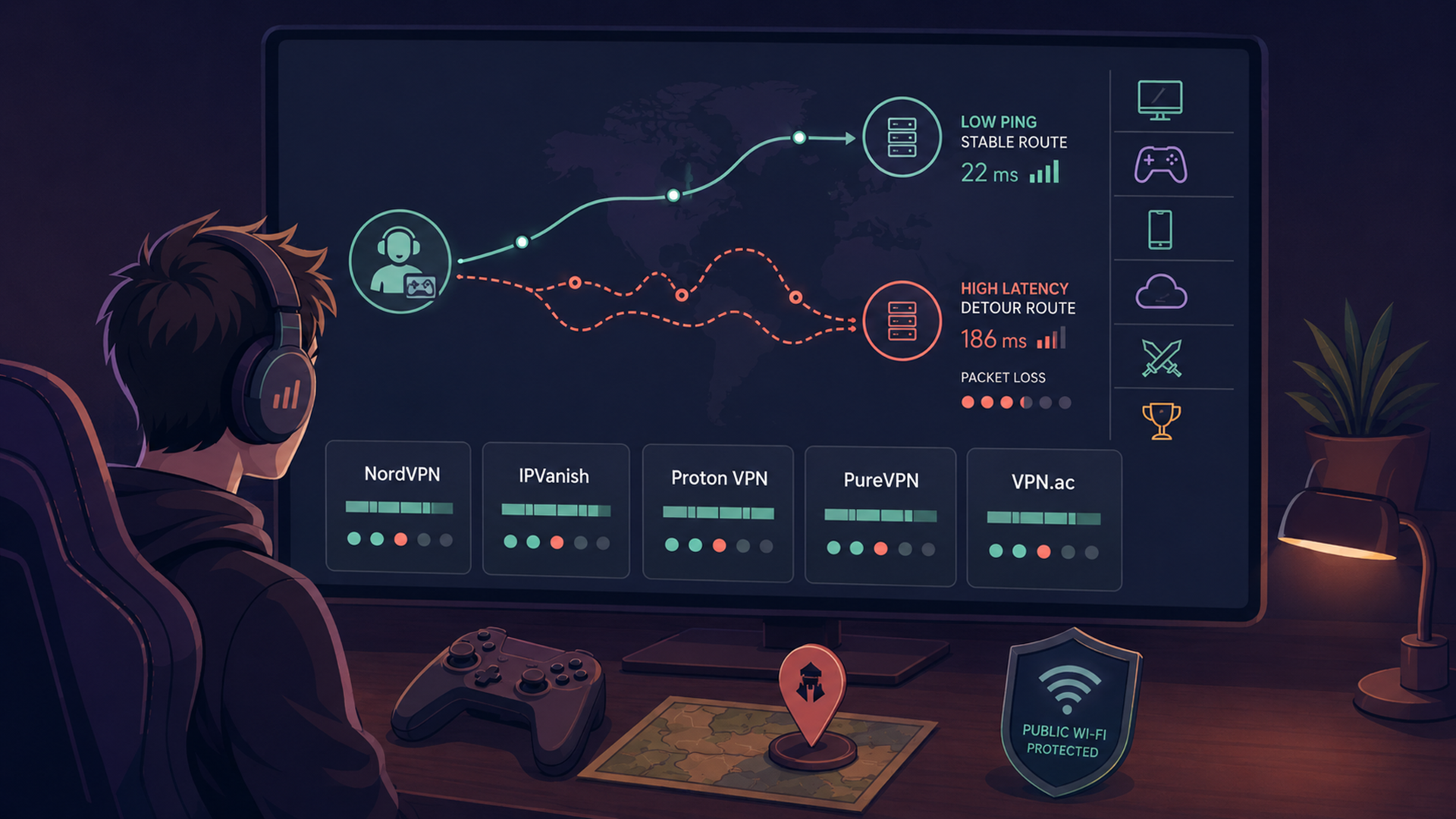
The best VPN for gaming is not the one that promises impossible “zero lag.” It is the one that gives you stable routing, nearby servers, strong apps, leak protection, and enough control to test whether it actually improves your connection.
Sometimes a VPN helps gaming. It can protect you on public Wi-Fi, hide your home IP from other players, reduce some ISP throttling issues, or improve routing if your normal internet path to a game server is poor. Other times, a VPN adds distance and increases ping. That is why this guide is user-first: it explains which VPN fits which gaming situation, then gives you a testing checklist instead of pretending one VPN always lowers latency.
Features and provider pages were checked on June 1, 2026. VPN features, server counts, prices, and device support change often, so use this guide to narrow your shortlist and confirm the final details before buying.
Quick picks: best VPNs for gaming
These are fit-based picks, not a universal ranking for every player. Competitive FPS players should care most about ping, packet loss, routing, and server distance. MMO players may care more about long-session stability and region consistency. Console players need router or Smart DNS support because PlayStation, Xbox, and Nintendo Switch do not work like normal desktop apps. Cloud gamers should be extra cautious because a VPN often adds latency to an already latency-sensitive stream.
How to think about gaming VPNs without falling for marketing
A VPN cannot change physics. If you are in Tokyo and connect to a VPN in New York to play on an EU server, your traffic is taking a longer route than it needs to. That usually means higher ping.
A VPN can help when the route is the problem. If your ISP sends traffic through a congested path, if you are on hotel or school Wi-Fi, if your home IP is exposed in peer-to-peer voice or game connections, or if your ISP is throttling certain traffic, a good VPN can make gaming feel more stable.
For gaming, judge a VPN by practical criteria:
- Nearby servers: the closer the VPN server is to you and the game server, the better your chance of low latency.
- Fast modern protocols: WireGuard-style protocols are usually the first protocol to test for speed and latency.
- Split tunneling: useful when only the game or launcher should use the VPN.
- Kill switch and leak protection: important for privacy, but test them because aggressive kill switches can interrupt gaming sessions.
- Router or console support: essential if you want to use a VPN on Xbox, PlayStation, Switch, or a gaming TV device.
- Stable long sessions: especially important for MMOs, raids, ranked matches, and cloud gaming.
- Clear refund policy: latency is personal to your ISP, region, and game, so you need room to test.
Gaming rule: test before you commit. The same VPN can feel excellent in one city and worse in another because routing, congestion, and game-server location matter more than marketing claims.
Gaming VPN comparison table
| VPN | Best gaming fit | Why it makes the shortlist | Main caution |
|---|---|---|---|
| NordVPN | Best overall for most PC, console, and travel gamers. | Large location coverage, 10 devices, unlimited bandwidth, NordLynx, DNS/IP leak prevention, kill switch, and console/router setup resources. | No VPN is guaranteed to lower ping; test nearby servers before committing. |
| IPVanish | Best for households with many gaming devices. | Official app listing highlights 3,200+ servers in 150+ locations, WireGuard/OpenVPN/IKEv2, split tunneling, IPv6 leak protection, and secure connections for every device from one account. | Great for device coverage, but still test latency per game and region. |
| Proton VPN | Best privacy-focused pick for players who also care about security. | Paid plan lists 20,000+ servers in 140+ countries, up to 10 devices, WireGuard, kill switch, DNS leak protection, IPv6 leak handling, and VPN Accelerator. | The free plan is useful for privacy browsing, but paid plans are the better fit for gaming control. |
| PureVPN | Best budget-friendly gaming VPN to test. | Gaming page emphasizes DDoS protection, ISP throttling avoidance, region access, 80+ locations, 65+ countries, up to 10 devices, and optional dedicated IP plus port forwarding. | Check current pricing and add-on costs carefully before buying. |
| VPN.ac | Best technical pick for users who understand routing and manual setup. | Offers WireGuard support, no activity logs, no speed limit, no bandwidth overselling claims, gigabit VPN nodes, and notes that better routing may reduce online gaming latency. | Smaller network than the biggest consumer VPNs, so check whether it has servers near your game route. |
NordVPN: best overall gaming VPN for most players
NordVPN is the strongest all-round pick because it gives most players the safest combination of usability, server coverage, modern protocols, and device support.
NordVPN’s server page lists thousands of VPN servers across 212 locations and includes regular, P2P, obfuscated, Double VPN, dedicated IP, and virtual server categories. Its protocol section says NordLynx is based on WireGuard and is the default VPN protocol, while OpenVPN UDP/TCP is described as suitable for browsing, gaming, and streaming.
For gamers, the practical benefits are straightforward: broad server coverage gives you more chances to find a nearby route, NordLynx is the first protocol most users should test, and the download page lists support resources for devices such as Xbox, PlayStation, Nintendo Switch, Android TV, tvOS, Firestick, Windows, macOS, Linux, Android, and iOS.
NordVPN’s own download page also lists 10 devices, unlimited bandwidth, DNS and IP leak prevention, a kill switch, and 24/7 customer support by email or live chat. Those are exactly the basics a gaming VPN needs before it can be considered seriously.
Choose NordVPN if you want the easiest recommendation for PC gaming, travel gaming, public Wi-Fi, and console/router setups. It is the best fit for most readers who want a polished app and a broad server map.
Skip or test carefully if you are chasing the absolute lowest ping for one specific competitive game. You still need to test it against your ISP, city, and game server.
IPVanish: best for gaming households and many devices
IPVanish is the best pick if your problem is not one gaming PC, but a whole household of devices.
The official Google Play listing says IPVanish offers access to over 3,200 fast VPN servers in 150+ locations, WireGuard, OpenVPN, and IKEv2 protocols, split tunneling, IPv6 leak protection, a SOCKS5 proxy included with every account, multi-platform support, and secure VPN connections for every device from one account. It also specifically lists defending yourself from DDoS attacks while gaming as a use case.
That makes IPVanish practical for families, shared apartments, streamers, and people who move between phone, laptop, tablet, Fire TV, Apple TV, Chromebook, Windows, and Mac. The unlimited-device angle matters when one subscription needs to cover gaming plus everyday browsing.
Choose IPVanish if device coverage matters more than having the largest possible server map. It is a good fit for casual multiplayer, mobile gaming, travel, and households where many devices need VPN protection.
Skip or test carefully if your main priority is one esport title where every millisecond matters. Unlimited device coverage does not automatically mean the lowest route to your game server.
Proton VPN: best privacy-focused gaming VPN
Proton VPN is the strongest fit for players who care about gaming and privacy at the same time.
Proton’s plan page says the free plan includes unlimited data, one VPN connection, DNS leak protection, IPv6 leak prevention or full IPv6 support depending on platform, and a kill switch or always-on VPN. The paid VPN Plus plan adds 20,000+ servers in 140+ countries, up to 10 devices, high-speed servers, P2P and BitTorrent support, Secure Core, split tunneling, browser extensions, and strong encryption.
For gaming, the most interesting feature is VPN Accelerator. Proton says VPN Accelerator is built into Proton VPN apps, can improve speeds especially on less reliable connections, and is designed to reduce latency and network congestion by splitting the path between the VPN server and destination into shorter paths. Proton still recommends connecting to a server as close as possible for the best speeds.
Choose Proton VPN if you want a privacy-focused VPN that also gives serious attention to speed engineering. It is a good fit for privacy-conscious PC gamers, MMO players with long sessions, and users who want a strong non-gaming VPN too.
Skip the free plan for serious gaming. It is useful for privacy browsing, but gaming usually needs server choice, device flexibility, and consistent routing.
PureVPN: best budget-friendly gaming VPN to test
PureVPN is worth testing if your priority is price and you still want gaming-specific VPN messaging, router-style thinking, and add-on options.
PureVPN’s gaming page says it can help protect against DDoS attacks, reduce ping issues, get around ISP game-traffic throttling, access games unavailable in your region, and reduce matchmaking times. Those are provider claims, not guarantees for every player, so the right way to read them is as use cases to test.
The same page says users can connect to servers in 80+ locations across 65+ countries and protect up to 10 devices with one account. It also lists dedicated IP plus port forwarding as an add-on. For gaming, port forwarding can matter for some hosting, NAT, and connectivity scenarios, but it should be used carefully and only when you understand why you need it.
Choose PureVPN if you want a lower-cost VPN to test for gaming, travel, and general privacy. It is especially worth checking if you care about optional dedicated IP or port-forwarding add-ons.
Check the checkout page carefully. PureVPN’s page displays different plan durations, renewal terms, and add-ons, so the final price matters more than the headline monthly number.
VPN.ac: best technical gaming VPN for manual control
VPN.ac is the most technical pick in this list. It is not the biggest consumer brand here, but it has a strong argument for users who care about infrastructure, routing, and manual control.
VPN.ac’s homepage says it is built by security professionals and lists multiple VPN protocols, AES-GCM, obfuscation, WireGuard support, no activity logs, no speed limit, multiple speed optimizations, secure DNS implementation, and up to 12 simultaneous connections, with six using WireGuard. It also says all VPN nodes are connected to gigabit ports and that the company does not oversell bandwidth.
The gaming-specific line is careful and useful: VPN.ac says better routing may reduce online gaming latency. That is exactly the right level of claim. A VPN will not always lower ping, but a better route can help in some cases.
Choose VPN.ac if you are comfortable testing routes manually and want a more technical VPN option. It is a good fit for advanced PC users, privacy-focused gamers, and people who care more about network quality than glossy app design.
Skip it if you want the broadest possible location list or the most beginner-friendly console experience. Its network is smaller than NordVPN, Proton VPN, or IPVanish, so nearby server availability matters.
Best gaming VPN by platform
PC gaming
PC gamers have the easiest VPN setup. Install the VPN app, choose a nearby server, test WireGuard or the provider’s fastest default protocol, then compare ping and packet loss with the VPN on and off.
For PC, start with NordVPN if you want the most balanced option, Proton VPN if privacy and speed engineering matter most, or VPN.ac if you want a more technical route-testing approach.
Console gaming
Console gaming is harder because Xbox, PlayStation, and Nintendo Switch do not usually run normal VPN apps directly. You normally need a VPN-compatible router, shared connection from a computer, or a provider-supported console setup guide.
For console gamers, NordVPN is the easiest first pick because its download page points to Xbox, PlayStation, and Nintendo Switch resources. PureVPN is also worth checking if you care about router-style setup and optional add-ons.
Mobile gaming
Mobile gaming needs stability when switching between mobile data, home Wi-Fi, and public Wi-Fi. Test IKEv2 or WireGuard-style protocols, keep the VPN server close, and avoid routing through another continent unless you have a specific reason.
IPVanish is strong for many-device use, while Proton VPN is a good privacy-first option for mobile users who want a serious VPN outside gaming too.
Cloud gaming
Cloud gaming is the least forgiving category. You are not just sending button inputs to a game server; you are also streaming video back. That means bandwidth, latency, jitter, and packet loss all matter.
Use a VPN for cloud gaming only when you have a clear reason, such as public Wi-Fi privacy or route testing. Choose the nearest server and compare input delay carefully. If the VPN makes cloud gaming feel worse, turn it off for that session.
MMOs and esports-style games need different VPN habits
MMOs and competitive esports-style games are both latency-sensitive, but they fail in different ways.
For MMOs, long-session stability matters. A small ping increase may be tolerable if the route is stable, the VPN does not disconnect, and you avoid packet-loss spikes during raids, dungeons, markets, or social hubs. Consistency matters more than one perfect speed-test number.
For competitive FPS, fighting games, MOBAs, ranked shooters, and esports-style titles, latency is less forgiving. You should not use a VPN because a provider claims “low ping.” Use it only if your tested route is equal or better than your normal ISP route, or if you need privacy on a risky network.
Also check the game’s terms of service. Some games and launchers dislike location switching, account sharing, suspicious region changes, or VPN/proxy patterns. A VPN should protect your connection; it should not be used to abuse regions, evade bans, manipulate matchmaking unfairly, or violate game rules.
How to test a VPN for gaming
Do not buy based on claims alone. Test the VPN on your real connection, real device, and real game.
- Record your baseline. Test ping, packet loss, and stability with no VPN.
- Choose a nearby VPN server. Start with the VPN server closest to you or closest to the game server path.
- Use the fastest modern protocol first. Try NordLynx, WireGuard, or the provider’s recommended fast protocol.
- Test three sessions. One five-minute test is not enough. Try peak time, off-peak time, and a normal play session.
- Watch for jitter, not just ping. A stable 45 ms can feel better than a bouncing 25–90 ms.
- Check packet loss. Packet loss is often worse than slightly higher ping.
- Test voice chat. Discord, console voice, party chat, and in-game voice may behave differently.
- Check NAT and matchmaking. Some VPN routes affect NAT type, lobby access, or peer-to-peer features.
- Try split tunneling if needed. Route the game through the VPN but leave launchers, browsers, or streaming tools outside it when appropriate.
- Use NetPeek for IP checks. Confirm which public IP your browser sees before and after connecting, especially when testing VPN or proxy routing.
If the VPN improves your connection, keep that server marked. If it makes the game worse, try a closer server or turn it off for competitive matches.
VPN vs proxy for gaming
Most gamers should start with a VPN, not a proxy.
A VPN usually protects the broader device connection and can help on public Wi-Fi, hotel networks, school networks, and travel connections. A proxy is usually app-specific and may not encrypt everything. Proxies are useful for browser workflows, testing, and some app-level routing, but they are easier to misconfigure for gaming.
Use a VPN for PC gaming privacy, public Wi-Fi, travel, and router-based console setups. Use a proxy only if you know the game, launcher, or tool supports it and you understand exactly what traffic is being routed.